





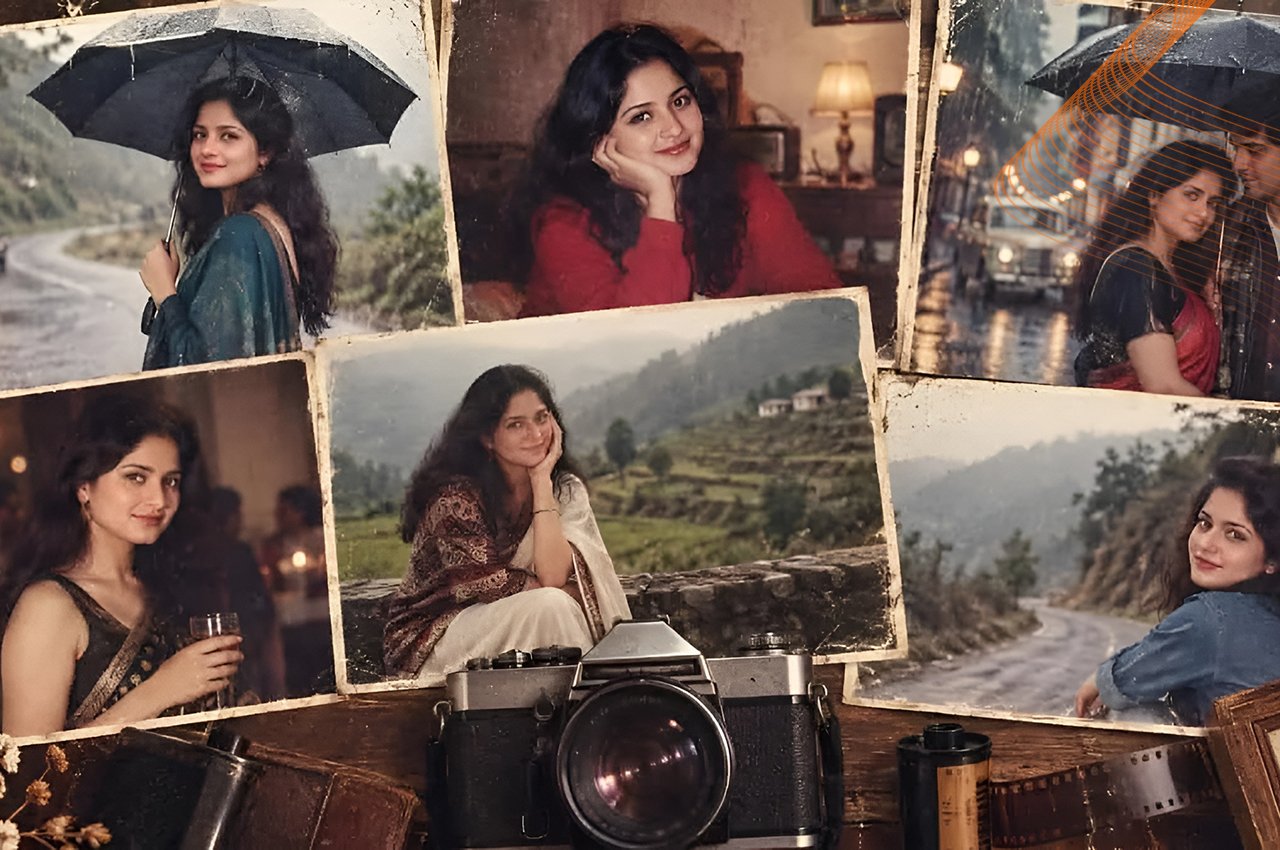
Ever come across an old box of family photos and wanted your current digital snaps to have that same timeless and nostalgic warmth? Re-creating the past was once a case of using special darkroom chemicals or multiple layers in a desktop editing suite. Creating vintage photos using AI is a completely new way to tell stories in today’s digital age, making it possible for anyone to reimagine crisp and modern photos as vintage or neon-enhanced moments of history. From creating social media content to crafting a brand with retro vibes, the potential is endless with the help of advanced language models and image synthesis tools. Once you know how these things work, you will be able to defeat the universal digital filters and create authentic looking vintage recordings with true character from decades past.
Why the 1980s Aesthetic Dominates Modern AI Art
The visual language of the 80s is a powerful force in popular culture, and it is a unique time within the analogue mechanics to early digital media shift. This period is more of an atmospheric time, and not only that, but it’s also an age of saturated synthwave neon light and soft focused mall portrait studios. With an 1980s vintage photo effect AI you’re not only coloring the photos, you’re also simulating the real-world constraints such as chemical degradation, light leaks and mechanical shutter constraints of the camera. This effect can be done manually with hours of fine masking and colour grading. The use of specialised tools, however, makes this process very simple. Creators are turning to a dedicated vintage aesthetic AI photo generator to add warmth, texture and real character to otherwise lifeless smartphone photos.
Step-by-Step Guide to Retro Image Generation
The first step in reviving the past is to organize your work in a multimodal conversation. To create retro images using ChatGPT, it’s important to strike a balance between descriptive storytelling and technical parameters. When changing one of the photos, select one that is a clear, high contrast portrait with a well-exposed image of the face only. Put this file up on your chat interface. If you are creating your scene from scratch using the text generation, sketch out the elements of your scene first (clothing, background architecture, lighting sources etc.). To call the system to action, you must make sure to protect your subject’s identity and ask for transformations of a particular era. For example, an AI image prompt from the 80s should influence the types of clothing worn, such as acid wash denim, as well as the setting of the photos, such as classical cars or a vintage storefront. For your output to be utterly true to the original, don’t use too much computer jargon. Rather, teach the model to add an AI parameter for film grain, or AI for old school photo effect parameters such as minor lens softness and faded color palettes.
Leveraging DALL-E for Maximum Authenticity
The DALL-E vintage photo generator is like a recipe for art using textual instructions, processing them into the underlying image engine that powers numerous contemporary conversational platforms. Understanding how to get vintage variations from Dall-E means that you will not get the dreaded plastic computer generated look from Dall-E. Specifically, if you mention vintage 35mm film stock, disposable cameras or VHS camcorder tracking lines, it will elicit specific digital noise patterns. In addition, asking for golden hour sun flares, direct flash in an extreme way or neon glow in dual tones brings the subject back to a realistic historical setting. Words such as subtle vignette, chromatic aberration, and washed-out shadows tell the model that he or she should step away from the digital ideal and adopt the imperfections of the analogue world.
Choosing the Right AI Toolkit
For personal portraits, it’s a matter of knowing how to tweak the settings, while for creating a completely new scene from written text, it’s a different story. ChatGPT image generation works better than any other for managing context and preserving identity, making it the best option for creating portraits that are accurate to the time period.When it comes to handling context and preserving identity, ChatGPT image generation is superior to any other, making it the best choice for creating portraits that are accurate to the time period, particularly for transforming personal selfies into era-accurate portraits. In contrast, DALL-E photo editing offers greater depth and advanced surroundings rendering capabilities, perfect for creating imaginative street scenes and historical backgrounds. A dedicated AI vintage photo editor or a simple filter suite can then be used to get the photos into the photo grid quickly and process the images in the same way for uniformity of the grid. Using a mix of these different approaches guarantees that all of your content will have a uniform, and believable, historical visual style.
Mastering Neural Network Mechanics
Grasping the inner workings of contemporary neural networks enables creators to transcend the boundaries of conventional consumer products. If an algorithm is used for a “vintage” style, then it will look at millions of parameters in the past in order to match pixel distributions to historical data sets. This implies that each instruction you gave is a marker of time, which will direct the weights towards the specific decades. This is a way of treating the conversational interface as a collaborative artist, rather than a command line.This is the approach to the conversational interface as a collaborative artist, as opposed to a command line.
Maintaining facial likeness in historical portraits.
When converting contemporary portraits into historical portraits, many budding artists find it difficult to keep the likeness of the modern portrait. Incremental prompting is the key to this problem. Then determine the main identity of the topic in the chat window, and ensure that the tool is correctly identifying facial features before adding historical context. After obtaining the identity you are looking for, you can add in the 80’s photo filter AI settings one by one. This avoids the generative model from totally altering the subject face with lots of era-specific style alterations.
Replicating Era-Specific Lighting Conditions
This is because lighting was a significant aspect of the 1980s and was heavily influenced by the quality and availability of consumer film stocks and indoor flash lighting. The direct, intense flash lighting typically produced strong shadows that always marked older photographs. To emulate these iconic lighting situations when constructing prompts, make it clear you are looking for on-camera flash or fluorescent office lights. If you want authenticity then you don’t want the “studio lights” which are done in a clean light.
Styling Wardrobes and Backgrounds
Wardrobe and environmental styling is another vital aspect that is sometimes overlooked by creators. Colourful designs, big screens, edgy lettering on signage and unusual designs on architecture were all the hallmark of the 1980s. Including background information in the prompts helps to enhance the overall picture while not distracting from the main aspect. A vintage boombox, cumbersome desktop computer, or classic retro interior wallpaper, these are minor details that put the scene in the right time and place.
Frequently Asked Questions
Q1. Can I use these techniques with a free account?
A1. Yes, there are platforms that have more affordable entry levels and allow you to play around with the basic generations and utilize a free AI retro photo maker workflow without any initial subscription limitations.
Q2. How do I keep my face looking natural during the transformation?
A2. If you are uploading a reference picture, make sure to tell the AI to retain your facial shape, skin tone, and appearance, while altering only your clothes, lighting, and background.
Q3. What makes an image look genuinely like the 1980s?
A3. Authenticity is all about the period-appropriate clothing styles, including the use of bold patterns and oversized shapes, alongside analog imperfections like analog film grain and diffused light.
Q4. Can I apply these vintage effects to videos as well as static images?
A4. The principles and prompts can be adapted to specialized AI video generation tools to create moving retro sequences, whereas the work of DALL-E and ChatGPT is mainly static image generation and editing.
Q5. What is the best way to handle color grading for this specific aesthetic?
A5. Prominent use of warm colors, slight color fading or particular cross-processed film tints are by instructing the AI to favor such colors.By telling the AI to prefer warm colors, slight color fading, or specific cross-processed film tints, the color profile will be adjusted to match historical photographic standards instead of modern high-definition sensors.
Conclusion: Embracing the world of generative retro art requires a blend of historical appreciation and technical prompt engineering. By carefully selecting your tools, refining your iterative approach, and paying close attention to lighting, wardrobe, and analog imperfections, you can bridge the gap between contemporary digital convenience and the enduring charm of the 1980s. Start experimenting with these advanced workflows today to elevate your visual storytelling and bring a deeply human, nostalgic resonance to all of your creative projects.
Follow Dubai Key Insights for more news.